

Have you ever considered buying a console just for the convenience of the couch, only to remember that you are firmly committed to the PC Master Race? It is a common dilemma for gamers who demand the power of a custom rig but crave the comfort of a 65 inch television. While you could settle for a locked down PlayStation or a sluggish streaming stick, the Raspberry Pi 5 has emerged as the ultimate DIY solution. This tiny board provides a high performance bridge that brings your entire Steam library into the living room, effectively turning your TV into a seamless extension of your primary gaming computer.
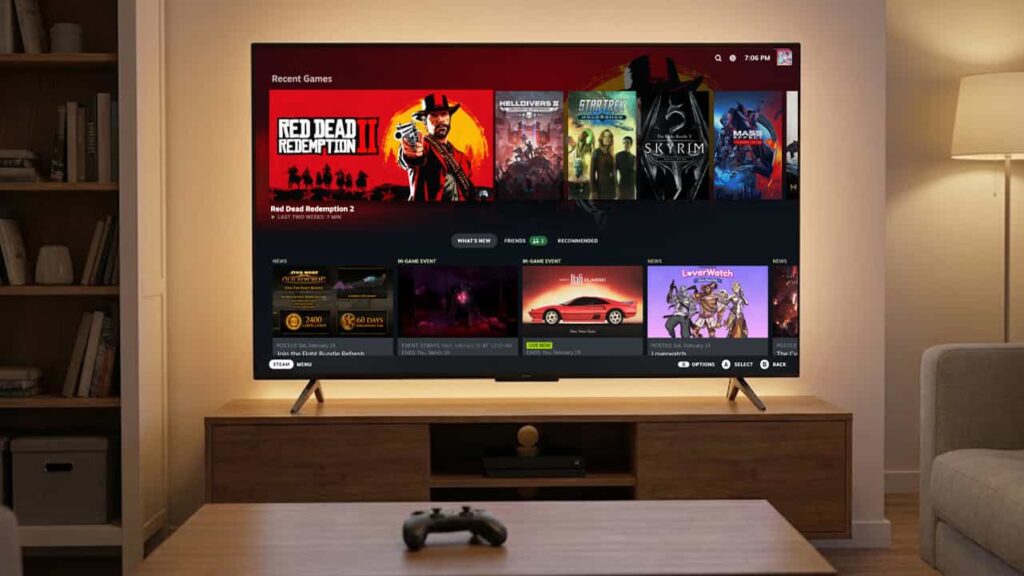
To understand why this works, we first need to look at what the Raspberry Pi actually is. Imagine a computer the size of a deck of cards that costs less than a new triple A game. Originally built to help students learn coding, it has evolved into the Swiss Army knife of the tech world. It can be a robot brain, a home security hub, or in our case, a powerful gaming console. If you are an IT student, you have likely already used or at least heard of this board, as it is a favorite for ambitious capstone projects. The Raspberry Pi 5 is the newest and fastest version yet, and it finally packs enough punch to handle modern gaming demands without breaking a sweat.
A successful high-bitrate streaming setup on the Pi 5 requires specific hardware to maintain stability under load. Failure to meet these requirements is the leading cause of “dropped frames due to network jitter,” which are often actually local hardware bottlenecks.
- Power Supply: The Official 27W USB-C Power Supply (5.1V / 5A) is mandatory. Standard 15W or lower-wattage power supplies will lead to voltage drops during intensive HEVC decoding or overclocked states.
- Cooling: Active cooling (such as the Official Raspberry Pi Active Cooler) is required. High-bitrate 4K decoding generates significant heat; thermal throttling will immediately degrade stream fluidity.
- Networking: A Gigabit Ethernet connection is a hard requirement for a near-native experience. While 5GHz Wi-Fi is supported, testing shows it is prone to large hiccups and interference that break immersion in high-fidelity titles.
Critical Takeaways:
- Wired is Mandatory: For a near-native experience, disregard wireless claims; Gigabit Ethernet is essential to prevent immersion-breaking hiccups.
- Hardware Authority: The 27W PSU and active cooling are not optional for 4K streaming or overclocking.
- Latency Trade-off: 4K streaming carries a ~40ms render delay penalty. For high-speed shooters, a 1080p/120Hz configuration is objectively superior in responsiveness.
The fundamental issue with bringing PC gaming to the living room has always been the “walled garden” problem. Many modern smart TVs already have built in support for Steam Remote Play, but these apps are often the “diet” version of the experience. They are limited by the television’s weak processor and restrictive operating system. Because these manufacturers decide exactly what you can and cannot do, you are often stuck with generic controller support and frustrating input lag. In contrast, the Raspberry Pi 5 offers a raw, open platform where you control the entire pipeline from the silicon to the screen.
In my experience, using a Pi 5 is about more than just a video feed; it is about maintaining the freedom you expect from a PC. While a smart TV app might struggle with the massive amount of data required for high quality gaming, the Pi 5 handles the stream with ease. This leads to a much cleaner image and snappy controls that make the remote experience feel like your expensive gaming PC is sitting right there under the TV. It eliminates that ugly, pixelated blur you see during fast movement and removes the annoying delay between pressing a button and seeing your character move.
If you want a super simple walkthrough, Pi My Life Up already put together a clean step by step video showing exactly how to turn your Pi into a Steam Remote Play box.
(Credits: Pi My Life Up)
While the setup requires a bit more effort than opening an app on your TV menu, the payoff is a machine that you actually own and control. The Raspberry Pi 5 allows you to treat your home network like a high speed highway for visual data. Think of it like a water pipe: a standard streaming app is a narrow straw that can only let so much through, while the Pi 5 is a firehose. When you use a wired internet connection, the Pi 5 can pull in a massive amount of data, ensuring that your games look and feel exactly like they do on your monitor upstairs.
There is also a massive win when it comes to using your favorite gear. Most smart TVs hate it when you try to plug in anything other than a standard game pad. The Pi 5 is different because it is a full computer. You can plug in a specialized flight stick, a racing wheel, or even a niche mechanical keyboard. By using simple software tricks, you can make your main PC believe these devices are plugged directly into the back of the computer. It effectively transforms your living room into a direct, lag free extension of your gaming desk, allowing you to play complex simulations or competitive shooters from the comfort of your sofa.
Where to Get Your Raspberry Pi
If you’re in the Philippines, Maker Labs Electronics is one of the most trusted spots for Raspberry Pi boards, accessories, and other maker gear. They have a solid reputation among local DIY and tech hobbyists for quality products and fair prices.
For convenience, they also operate official stores on Lazada, Shopee, and TikTok Shop, so you don’t even have to leave your house to get everything you need for your budget console build. This makes it easy to grab the board, SD card, and controllers all in one place without hunting around multiple stores.
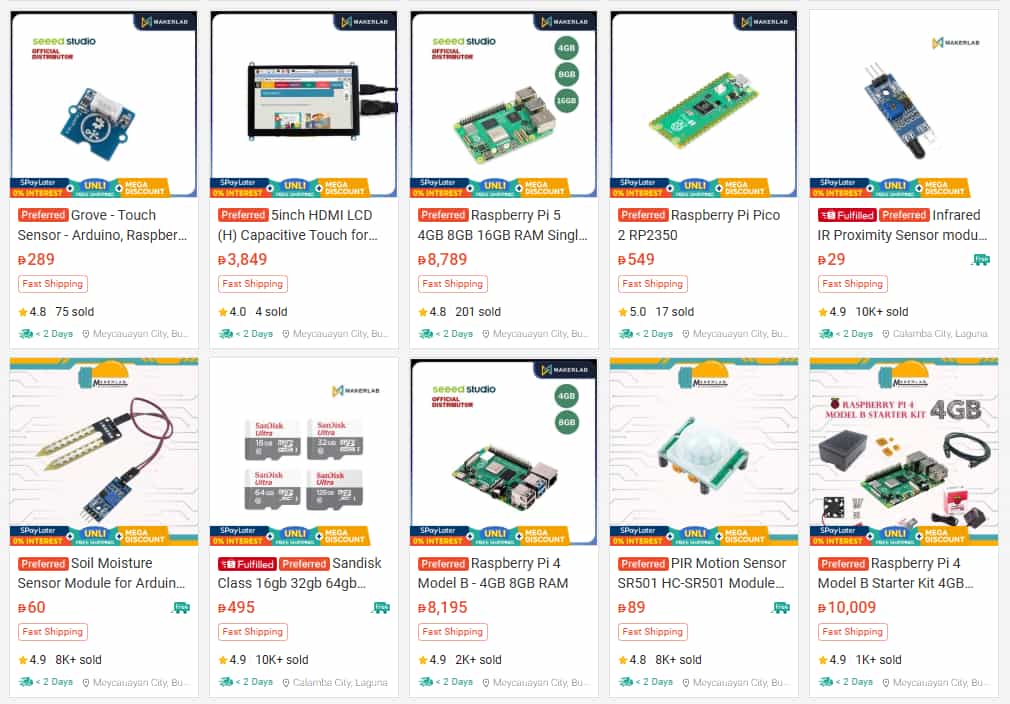
(Screenshot from their official Shopee Store)
Disclaimer: This is purely informational. Maker Labs Electronics is not affiliated with or sponsoring this article, and we are not responsible for any purchases or experiences you may have with the store.